


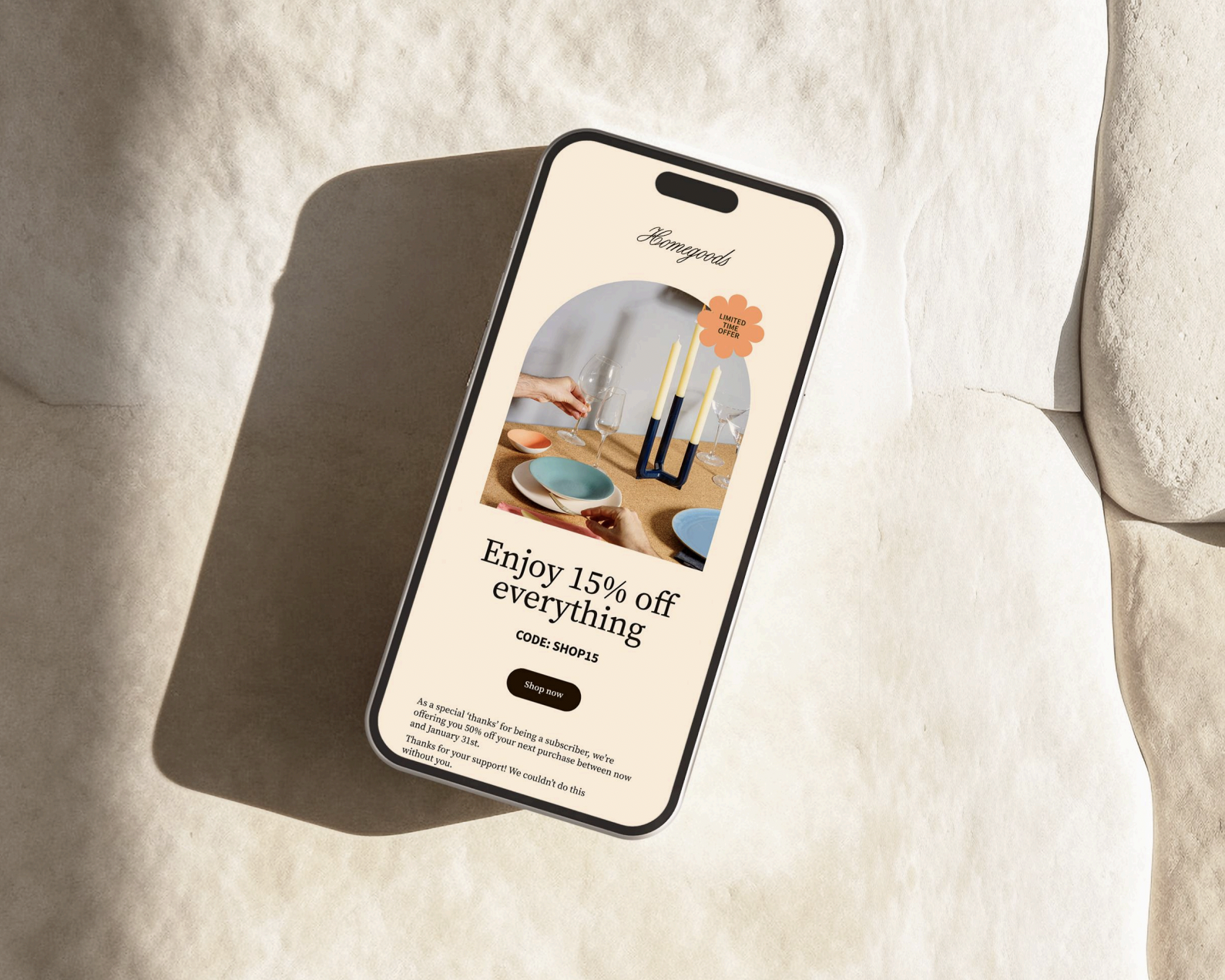
I remember hearing about Flodesk when they first launched in 2019 and thinking “Finally, a way to send pretty emails.” I was using Kit (formally Convertkit) and anything beyond a pretty simple text email required custom coding for everything.
At the time, Flodesk really disrupted the industry and solved a largely-underserved market of creatives that wanted to do email marketing but also valued aesthetics. While Flodesk didn’t have some of the “fancier tech options,” it was a great starter email platform.
Boy, times have changed.
If you’ve heard that Flodesk is best for “when you want pretty emails” but you’ll eventually need to move to something like Kit or ActiveCampaign “when you need to do advanced things like segmenting, workflows, automations,” then we need to talk about Flodesk Workflows (because it’s a huge reason why I’m switching to Flodesk, even as a multi-six figure business owner who does use segmentation and workflows often in my biz!). And, it’s a big reason why I’m using Flodesk for a second business I plan to start in the next year.
Thinking about trying Flodesk? Here’s a 25% off Flodesk coupon code to save you some money!

Flodesk Workflows Has Advanced Filters
Advanced Filtering is one of the biggest things that Flodesk was “missing” before that felt like a must to more advanced business owners. Before, you couldn’t send emails to your warmest leads automatically. You’d need to do a lot of tagging, and updating those tags, which gets harder to manage as your list grows.
But now with advanced filters, you can decide to send certain emails to contacts that have a higher open rate or click through rate. For example, during a launch you can send more emails to your contacts that have an open rate of >75% and send less emails to the contacts that don’t (which saves your list from all the unsubscribes that typically come from sending a ton of emails during a launch). This advanced filtering is something you CAN’T even do with some of the other email marketing tools that are known for “advanced options”.

Flodesk Workflows Has Instant Condition Steps
I have to be honest, this is one of the Flodesk Workflows features I’m most excited about. Because everyone is inundated with so much content and free stuff online, it can be hard to get (and keep) our people’s attention. With instant condition steps, you can set up automation that keeps them engaged (and feels incredibly high-touch at the same time!).
Picture this: Someone downloads your freebie and it gets delivered to their inbox. Then, maybe they leave to get their kids from school. While waiting in the car pool line, they check their email and remember they have your freebie. They open it just as their kids come running into the car. After making sure everyone is buckled, they start driving home forgetting about you once again.
But if you set up instant condition steps, you can have it so that if someone clicks your freebie, you can have an auto-follow up in an hour (something like: hey, did that freebie solve your problem? I’m here to help). Now you’re back at the top of their inbox again.
GENIUS! And, not hard to set up with Flodesk. I also love the VISUAL aspect of these automations, as it makes it easy for you to understand exactly what you’ve set up.
You can now have multiple branches in Flodesk Workflows
When it comes to personalizing emails to increase open and click rates, Flodesk Workflows released multiple branch steps, and if you’re like me serving a few different audiences, this one is going to keep your workflows nice and clean (while being incredibly effective!).
With the advanced filters above, we talked about segmenting people based on “yes” or “no.” A contact does have a certain open rate, or they don’t. But now with multiple branch steps, we get to take the segmenting and personalization even further.
For example, let’s say I’m running a Showit website template sale. I can set up a sales workflow in Flodesk, and send an email to my entire list saying something like “all templates are on sale now.” Which is great… for a first email.
But then, using these multiple branch steps, I can make the second email customized to specific readers. For example, maybe I’m looking at which freebie they snagged to join my list.
If they grabbed my:
- “How To Name Your Business” Guide, I could send them an email talking about the importance of a first website (and try to sell my full Showit website templates)
- “My End of Month Business Financial Routine with Profit First” guide, I could focus more on add-ons and take a saving money angle. Like “don’t buy a whole website template, just grab what you need!”
- “Podcast Equipment” guide, I could talk about the importance of having a home base for your podcast and sell my podcast-specific templates.
You get the idea?
PS: If any of those free guides caught your eye, you can grab them, and so many more, here 
This is so much cleaner and simpler than creating and duplicating a new workflow for every segment. Plus, what I love most about these multiple branch segments, is that after the segmented email is sent, they auto-join back together. Which means that email 3, 4, and 5 could all be the same (because I don’t actually want to be writing 8 different sequences for every sales campaign lol). Multi-branch workflows can also divide by percentages so you can test multiple versions and timing! Very cool!
Email Marketing Has Changed in 2026 (Largely Because of AI)
Before I talk about some of the features of Flodesk Workflows, I want to chat about why this matters so much. Email marketing has changed a ton since the rise of AI writing everywhere (head to my IG to read about my feelings on that).
One of the biggest changes though, is how important personalization and segmentation really is in 2026. Because we are all being flooded with AI content right now. And the only way to stand out and get your emails opened and clicked is with content that feels so specific to the people who are reading it.
In fact, recently Adobe shared that emails with personalized subject lines have an open rate that’s more than 20% higher than those with generic or static subject lines and that personalized emails have been shown to produce a 139% increase in click rate compared to static one-time sends.
That’s why the Flodesk Workflows update is such a big deal.
Here are some features I can’t wait to use…

Talking About All The Reasons I Was Hesitant To Switch To Flodesk (That You Might Be Hearing Too)
When I shared that I was switching to Flodesk (and using Flodesk for a future business), I was hit with many questions. Here are my honest answers (and if you have a question I don’t answer here, feel free to send me a DM on Instagram).
What if I don’t want pretty emails? Don’t plain text emails work better?
Listen, I love a plain text email! I don’t think emails have to be the traditional super-image-heavy formats that you might have seen associated with Flodesk before.
Although I personally love a pretty email in my inbox, most of the emails I send are more “plain.” That said, I do still like to add some branding elements to help keep readers engaged and inject some of my personality into them. You don’t need to go over the top or anything but styling your emails just makes it more fun to read. Test it with your audience and see for yourself!
Doesn’t Flodesk Have Deliverability Issues?
Have you heard this rumor too? I did a little digging myself to make sure it wasn’t true and what I found was that your individual sender reputation matters a lot more than the platform you are using to send emails. This means following some best practices, like cleaning your list often, sending from an email address that ends in your domain name, and gradually increasing volume over time if you have a launch coming up or if you haven’t email in a while.
This also applies (and is extra important) if you’re switching platforms. When you’re migrating your list or switching platforms, you do want to take a few extra steps to make sure you keep your sender reputation intact. Flodesk has a great article on improving and maintaining your sender reputation here.
The Flodesk team also shared with me that most of their members who had deliverability issues have not been regularly clearing/cleaning their email lists. So, they’re emailing unengaged subscribers, and it hurts them significantly.
Is Flodesk just for beginners?
Absolutely not. Flodesk is a great beginner email marketing platform for sure, but with the new Flodesk Workflows, it also offers all of the automation and segmentation features you know and love from the bigger platforms, just in a prettier and more easy-to-use package.
If you’ve been in my world for a while, you know that I believe one of the biggest traps we can fall into as our businesses grow is overcomplicating it. I’m all about making things easy! So even though I’m a “more advanced business owner,” if there’s a way to make something in my business simple and more affordable? I’m taking it!
Is it hard to switch to Flodesk?
While most email platforms will let you export your contact with tags, there is a little manual effort that goes into switching to Flodesk (I won’t lie to you!). If you’re like me and you’ve been in business for over a decade, chances are you have some clean up to do (like old freebies that don’t match your branding anymore, or a welcome sequence that hasn’t been updated since you became a mom—you get the idea).
The more “clean up” you have to do, the more time it will take you to make the switch (but the effort is well worth it). I’d encourage you to take the opportunity to really go through your workflows as you rebuild them in Flodesk. Chances are, some of these more advanced features weren’t even an option when you first started your list. Use them!

Flodesk Is The Most Affordable Email Marketing Platform For Creative Business Owners Who Want Pretty Emails And The Tech Bells And Whistles
With the launch of the new Flodesk Workflows, Flodesk officially competes with other more expensive email marketing tools while being user-friendly (and having a better design in my opinion).
Plus, the women who are running Flodesk are so inspiring. They’ve built a great community, offer amazing support (which is important to me!), and are constantly innovating in our industry and putting us small business owners first (and taking our businesses seriously).
If you’ve been holding off switching to Flodesk because you’re worried you’ll have to “give up” some of the segmentation/workflow features you love or you’ve been hesitant to start with Flodesk because you think you’ll have to “upgrade to something else” down the line, I hope this post has made you reconsider.
If you want to sign up for Flodesk (and check out the new Flodesk Workflows for yourself), you can get 25% off by using my link here. I will see you there! 🙂


